# Control Library
Version: V26.0 (Beta)
Back to: Index
Overview
The Control Library is a central repository of pre-defined risk controls and mitigation measures that can be applied to risks across all projects. Maintaining a Control Library ensures consistency in how controls are described and prioritised throughout the organisation.
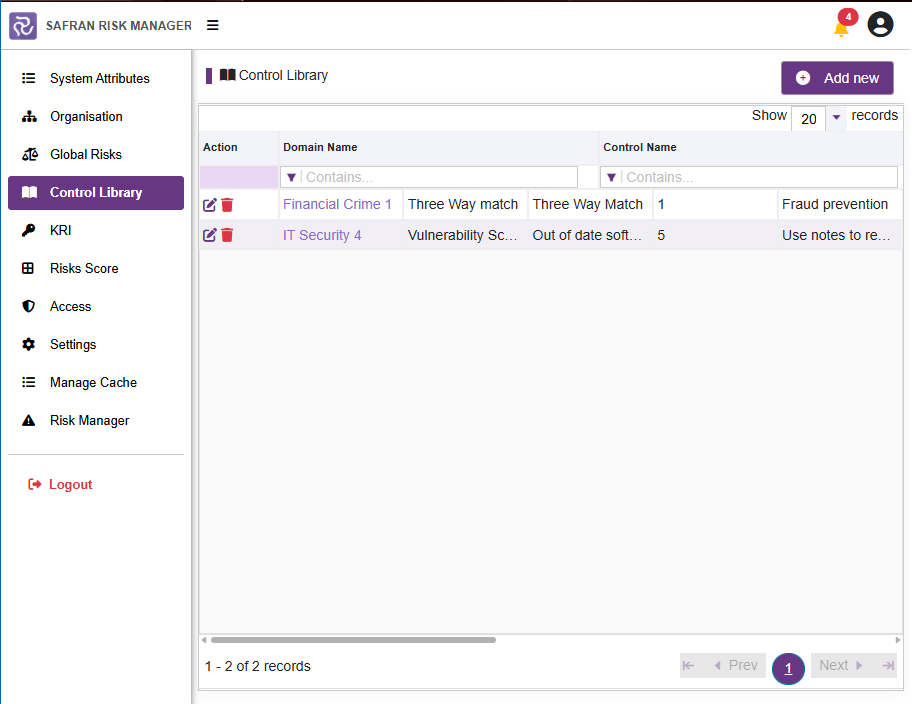
Control Library List
All existing controls are displayed in a filterable table. Use the Contains... filter fields at the top of each column to search within the list.
| Column | Description |
|---|---|
| Domain Name | The risk domain or area the control belongs to (e.g. Financial Crime, IT Security) |
| Control Name | The name of the specific control measure |
| Specification Name | A description of the specification or standard the control is based on |
| Priority Value | A numeric priority value indicating the importance or urgency of the control |
| Control Library Notes | Additional notes or context about the control |
Example controls include:
| Domain | Control | Specification | Priority |
|---|---|---|---|
| Financial Crime | Three Way match | Three Way Match | 1 |
| IT Security | Vulnerability Scanning | Out of date software monitoring | 5 |
Adding a New Control
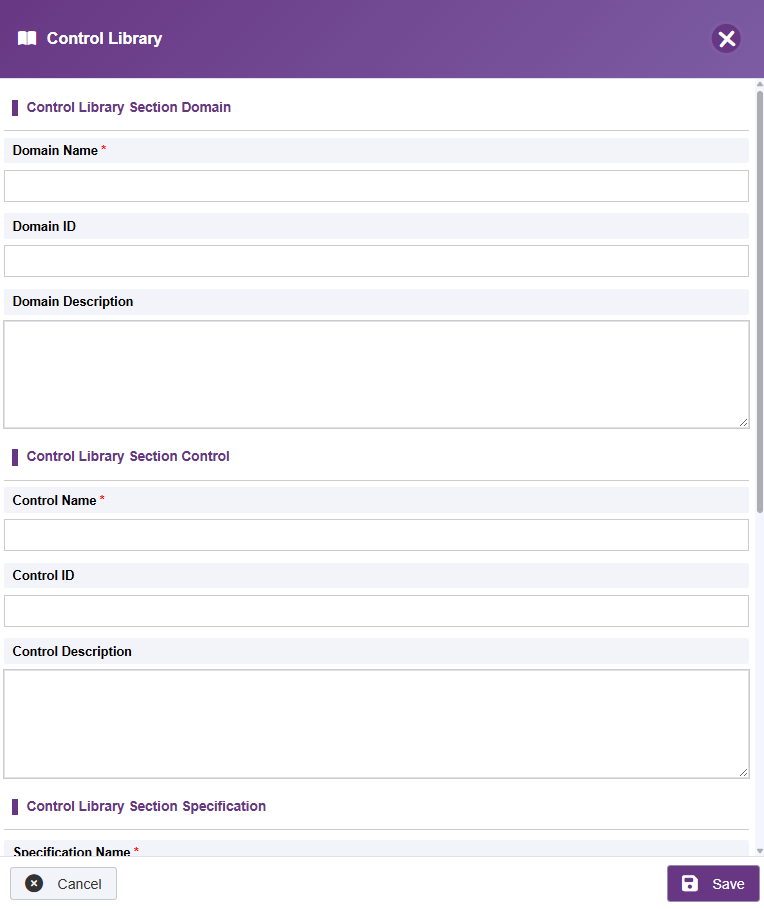
- Click Add new (top right).
- Complete the control form:
| Field | Description |
|---|---|
| Domain Name | The domain the control applies to |
| Domain ID | The unique ID for this domain |
| Domain Description | The description for the control domain |
| Control Name | A short, descriptive name for the control |
| Control ID | The unique ID for this control |
| Control Description | The description for the control |
| Specification Name | The specification, standard or process the control is based on |
| Priority Value | A numeric value — lower numbers typically indicate higher priority |
| Control Library Notes | Optional free-text notes for additional context |
- Click Save.
Editing a Control
- Click the edit (pencil) icon in the Action column next to the control.
- Update the required fields.
- Click Save.
Deleting a Control
- Click the delete (bin) icon in the Action column next to the control.
- Confirm the deletion.
Note: Controls that are already linked to risks in project risk registers should not be deleted without first reviewing those links.
Using Controls in Projects
Project users can reference the Control Library when defining treatment actions for risks, selecting controls directly from the pre-defined library. This promotes standardisation and allows the organisation to track which controls are being applied across projects.