# KRI — Key Risk Indicators
Version: V26.0 (Beta)
Back to: Index
Overview
Key Risk Indicators (KRIs) are metrics used to provide an early signal of increasing risk exposure in various areas of the organisation. The KRI section in the Administration area allows administrators to define and maintain the organisation-wide library of KRIs that can be assigned to projects and monitored over time.
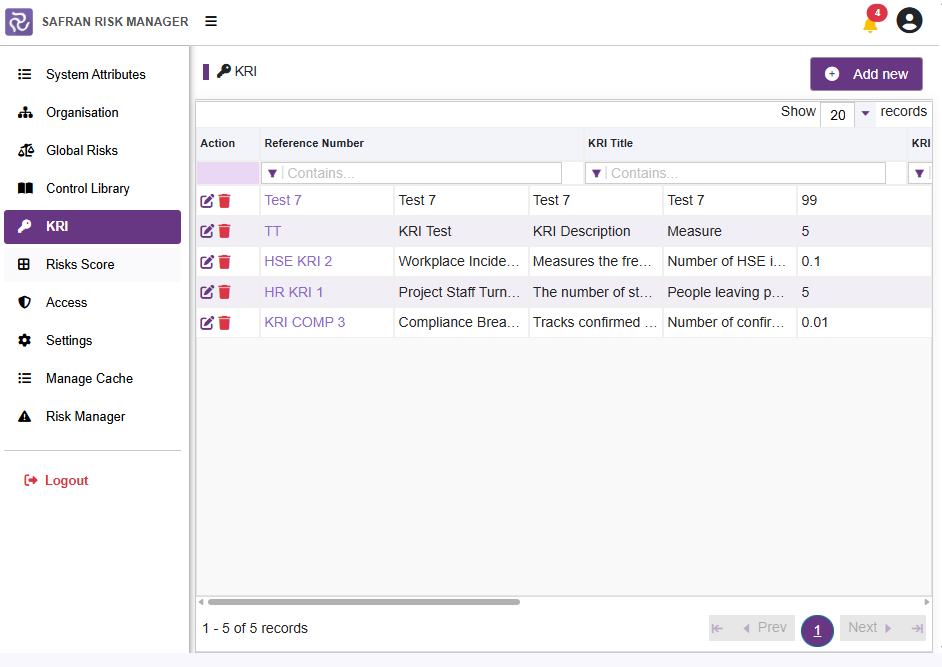
KRI List
All existing KRIs are displayed in a filterable table. Use the Contains... filter fields at the top of each column to search.
| Column | Description |
|---|---|
| Reference Number | A unique reference identifier for the KRI (e.g. HSE KRI 2, HR KRI 1) |
| KRI Title | A short descriptive title for the KRI |
| KRI Description | A detailed description of what the KRI measures |
| Measure | How the KRI is measured or expressed, usually as a percentage |
| Target Threshold | The numerical threshold value that would indicate that a threshold has been exceeded |
Example KRIs include:
| Reference | Title | Description | Measure | Threshold |
|---|---|---|---|---|
| HSE KRI 2 | Workplace Incident Rate | Measures the frequency of reportable incidents | Number of HSE incidents per reporting period | 0.10 |
| HR KRI 1 | Project Staff Turnover | The number of staff leaving the project | People leaving per month as a percentage | 5.00 |
| KRI COMP 3 | Compliance Breaches | Tracks confirmed breaches of laws and regulations | Number of confirmed compliance breaches | 0.01 |
Adding a New KRI
- Click Add new (top right).
- Complete the KRI form:
| Field | Required | Description |
|---|---|---|
| Reference Number | Yes | A unique reference code for the KRI |
| KRI Title | Yes | A short, descriptive title |
| KRI Description | Yes | A full description of what is being measured |
| Measure | Yes | How the indicator is expressed or calculated |
| Target Threshold | Yes | The value beyond which the KRI is considered at risk |
- Click Save.
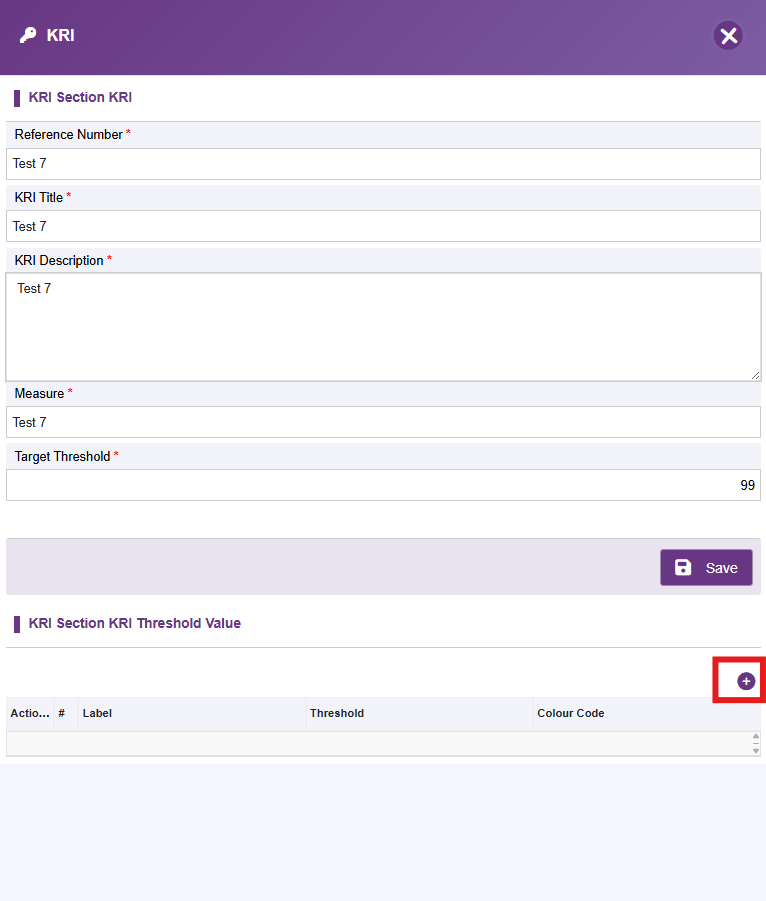
Adding Multiple Threshold Values
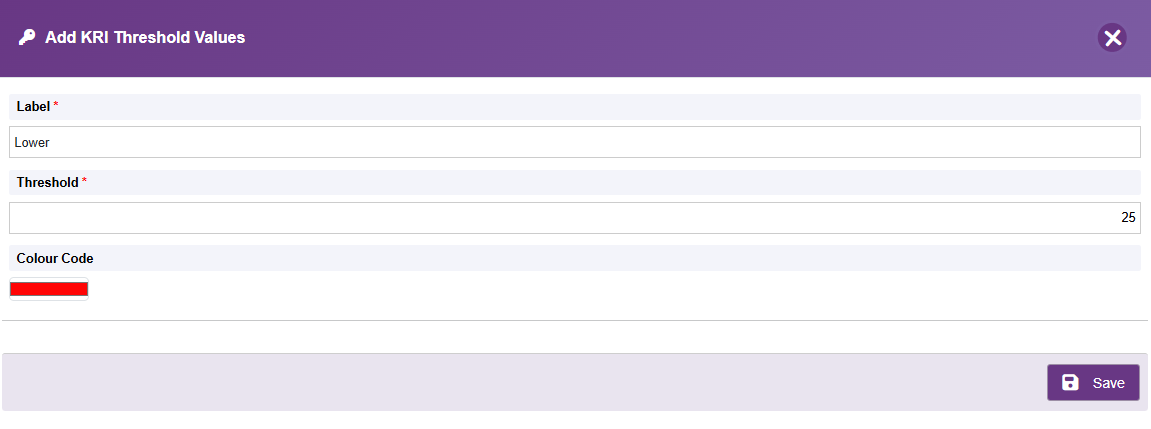
To enable multiple thresholds to be displayed on the visualisation, add additional values and colours using the "+" icon
| Field | Required | Description |
|---|---|---|
| Label | Yes | A short description of the threshold |
| Threshold | Yes | The value of this threshold is between 1 and 100 |
| Colour Code | Yes | Select the colour from the picker to represent this threshold |
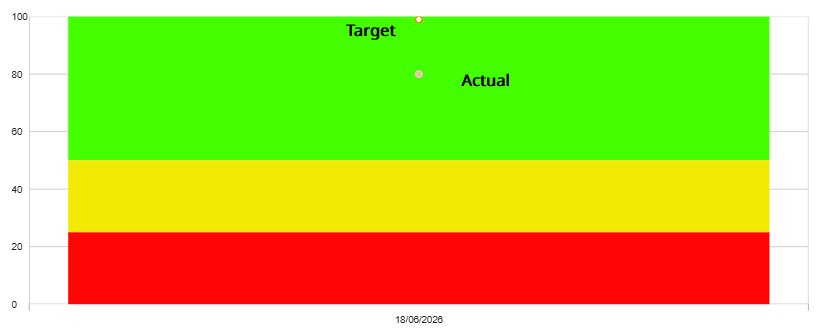
When the KRI report is run, the values are then represented by the different colours in the report:
Editing a KRI
- Click the edit (pencil) icon in the Action column next to the KRI.
- Update the required fields.
- Click Save.
Deleting a KRI
Use the trash can icon and confirm to delete a KRI if it is no longer required.
Note: KRIs linked to active projects should not be removed without first consulting the project teams monitoring those indicators.
KRI Monitoring
Once KRIs are defined in the Administration area, project users can assign relevant KRIs to their projects from the project administration area and record actual values against the defined thresholds. This allows the organisation to monitor trends and act before risks materialise.
Next: 07-risk-score
Previous: 05-control-library
Back to: 00-Index