# Manage Cache
Version: V26.0 (Beta)
Back to: Index
Overview
The Manage Cache section allows administrators to clear specific system caches. Safran Risk Manager caches certain data sets to improve performance. After making significant configuration changes in the Administration area, it may be necessary to clear the relevant cache so that the changes are reflected immediately across the application for all users.
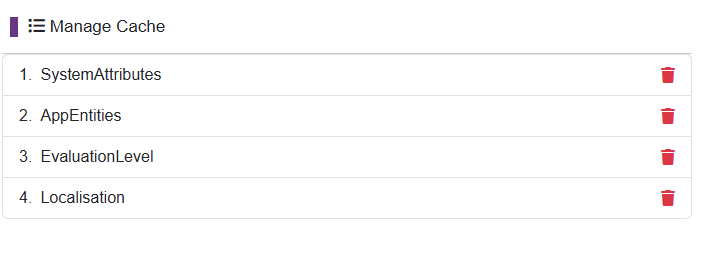
Cache Items
The following cache items are available to clear:
| # | Cache Name | Description |
|---|---|---|
| 1 | SystemAttributes | Caches all System Attribute lookup values (Function Types, Risk Types, Treatment Types, etc.) |
| 2 | AppEntities | Caches core application entity data |
| 3 | EvaluationLevel | Caches the Risk Score evaluation level configuration and matrices |
| 4 | Localisation | Caches all localisation label overrides |
Clearing a Cache
Each cache item has a delete (bin) icon on the right-hand side. To clear a specific cache:
- Identify the cache that corresponds to the changes you have just made (see table above).
- Click the 🗑️ bin icon next to the relevant cache item.
- The cache will be cleared immediately.
Tip: After clearing a cache, users may need to refresh their browser for the changes to take effect in their active session.
When to Clear Each Cache
| After changing... | Clear this cache |
|---|---|
| System Attributes (Function Types, Risk Types, Treatment Types, etc.) | SystemAttributes |
| Evaluation Level scoring matrices or tolerance thresholds | EvaluationLevel |
| Localisation label overrides | Localisation |
| General configuration or entity data | AppEntities |
Important Notes
Caution: Clearing a cache while users are actively working in the system may cause a brief delay as the cache is rebuilt on the next request. This is normal behaviour and does not cause data loss.
Note: Caches are rebuilt automatically from the current database configuration when next accessed. Clearing the cache does not delete any configuration data — it only forces the system to reload fresh data.
Previous:09-settings
Back to: 00-Index