# Introduction
Version: V26.0 (Beta)
Back to: Index
What is Safran Risk Manager?
Safran Risk Manager is a project management tool designed to help a project team capture and take action against the risks associated with the delivery of projects, helping them deliver those projects within budget and on schedule whilst maintaining customer satisfaction.
Safran Risk Manager takes a systematic approach to the contextualisation of a project, the identification of potential risks (both threats and opportunities), the assessment of risks, the treatment of risks, and the ongoing monitoring of risks and the delivery of the project risk process, whilst enabling high-quality communication across all stakeholders.
Having been designed around the needs of the everyday project team, the tool can be easily accessed by any member of the nominated project team. Once a potential risk has been captured, it can be evaluated by the team — adding appropriate values for likelihood and impact, ownership, and actions. The risk can then be approved as a complete risk and modelled with other risks to determine its impact on the achievement of the project objectives.
About the Administration Area
Safran Risk Manager contains two main sections: the User section and the Administration section.
The Administration section is used for:
- Creation and editing of company-wide tool settings
- Creation and maintenance of users
Access Restriction: Administration can only be accessed by personnel with Administration rights, thus restricting the opportunity to make changes which impact all projects within an organisation.
Warning: Due to the widespread impact which changes within the Administration section can have on all projects within an organisation, great care needs to be taken when first setting up and then introducing changes to the Administration data. It is highly recommended that Administration privileges are allocated only to personnel who have received appropriate instruction. Potentially irreversible data loss can occur should the Administration section be used inappropriately.
Logging In
Access to Safran Risk Manager begins at the login page. Users can authenticate using their email and password, or via Microsoft login (Single Sign-On), or via other SSO enabled by the organisation.
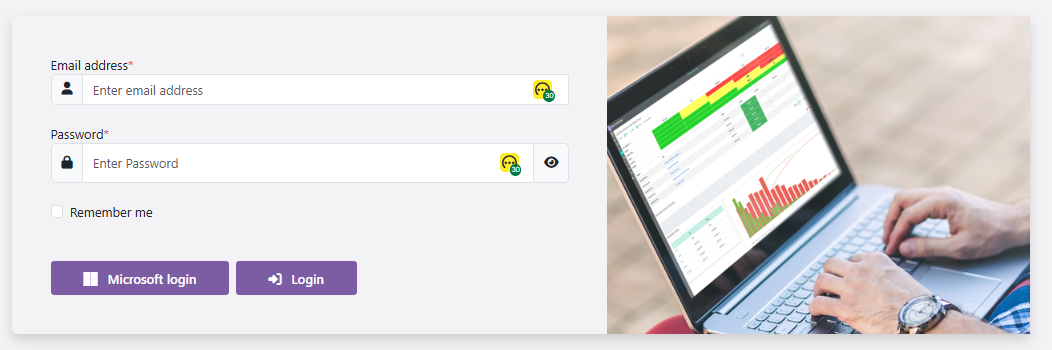
The login page also displays:
- The environment name (e.g. Development / Sandbox)
- The current application version (e.g. Version 2026.0.5 (Beta) — Release 26.0)
Accessing the Administration Area
Once logged in, the Administration area can be accessed by navigating to:
XXXXX
Note: Only users with the Administrator roles have access to this area.
The Administration area uses a persistent left-hand navigation panel. Each item links to a distinct configuration section:
| Nav Item | Purpose |
|---|---|
| System Attributes | System-wide lookup lists and dropdown values |
| Organisation | Organisational structure for risk management |
| Global Risks | Risks that apply across the entire organisation |
| Control Library | Library of risk controls and mitigations |
| KRI | Key Risk Indicators configuration |
| Risks Score | Evaluation levels, likelihood, impact and risk matrices |
| Access | User management, roles and permissions |
| Settings | System defaults, email, custom fields and localisation |
| Manage Cache | Clear and refresh the system cache |
| Risk Manager | Return to the main application |
Initial Configuration
During software installation, a decision will have been made to either start from an empty configuration or to accept the Safran example configuration, which provides a pre-existing set of configuration data.
When making configuration changes, consider the existing state — whether to create new values, overwrite existing values, or delete existing pre-configured values. This guide is written from the position of creating new values within the system.
Next: 02-System Attributes
Back To: Index