# Getting Started
Version: V26.0 (Beta)
Back To: Index
II. GETTING STARTED
The Data Migration tool is accessed from the main Safran Risk Manager application from the action dropdown menu (top right-hand menu option). Select the DMUT option and a new tab will open in the browser.
Note: Access to the DMUT tool is controlled. If you cannot see the DMUT option and require access, then contact your site administration.
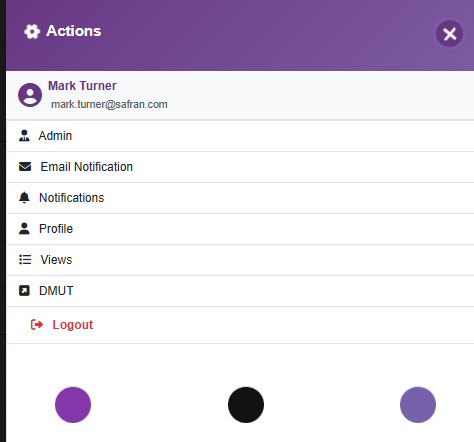
The new browser tab will not require any additional usernames or passwords, as security is handled from within the tool.
Our web application maintains a user-friendly interface with easy-to-navigate menus and tabs. These features are designed to give you a smooth and streamlined user experience.
Next: Scope of this Guide
Previous: Introduction
Back to: Index