Install
It is recommended to back up the SWA installation folder ("c:\inetpub\wwwroot\SWA") and uninstall all previous versions of SWA. We recommend uninstalling the earlier version of SWA before installation, then upgrading the existing or new database. Upgrade support service can be purchased; please contact support@safran.com for more information. This version of Safran Web Access is an upgrade from version 22; earlier versions of SWA are not upgradeable. This will be overwritten if you already have a site on your server called SWA. SWA uses ports 80 and 82. Please rename your site and change the port number from 80 to e.g., 83, since the Safran Web Access installer does not offer this option. You must also rename the SWA folder in "C:\inetpub\wwwroot". After installation, you can rename your site and rename SWA if necessary. If any other sites are defined on the server using ports 80 or 82 during installation, the SWA site will not be created, but the web files will be copied to the wwwroot folder.
Uninstalling SWA 22 can, in some instances, cause an error. If you get the error, click Ok and the uninstall will proceed and successfully uninstall SWA.
1. Run the setup file you have downloaded.
2. You might get this screen if you are missing some prerequisites.
Click Install.
.png)
3. Click Next.
.png)
4. Accept the license agreement and click Next.
.png)
5. The Safran Web Access engine has a 128-character path limit; please install Safran Web Access to the root of your volume.
Click Next.
.png)
6. Click Install
.png)
7. Sometimes, you might get a request to restart the web server.
Click Yes to let the server restart.
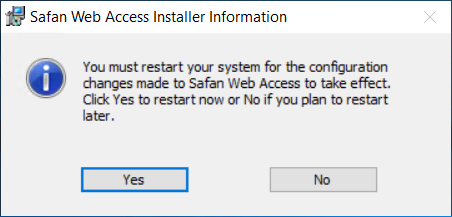
8. After the restart, the installation is complete.
Click Finish to exit the wizard.
.png)