# Global Risks
Version: V26.0 (Beta)
Back to: Index
Overview
The Global Risks section allows administrators to define a library of pre-defined risks that are available to all projects within the organisation. These risks represent common, recurring, or strategic threats and opportunities that project teams can draw upon when building their project risk registers.
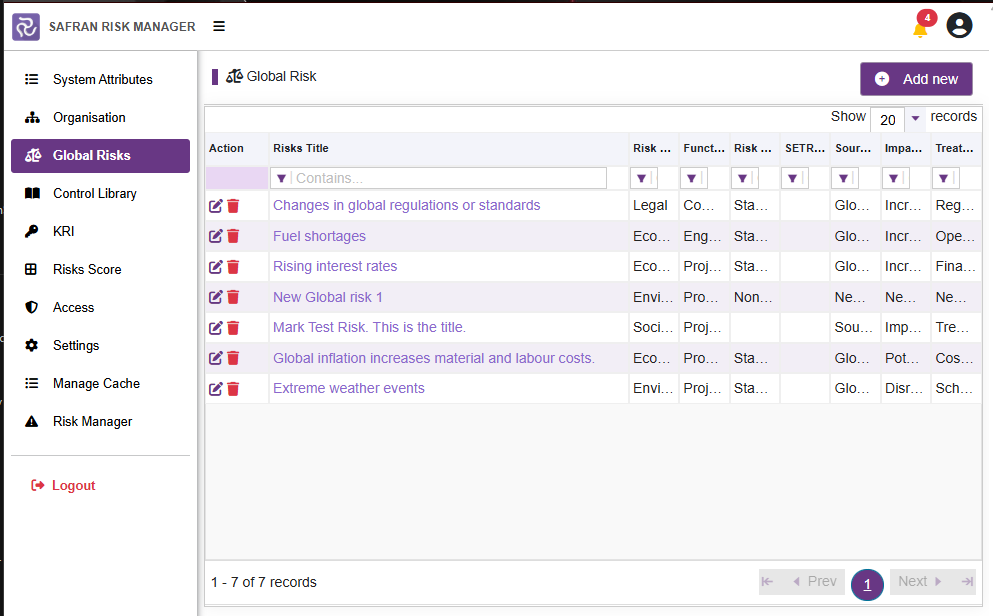
Global Risk List
The Global Risk list displays all existing global risks in a filterable table. Use the Contains... filter fields at the top of each column to search within the list.
| Column | Description |
|---|---|
| Risks Title | The title/name of the global risk |
| Risk Category ID | The category the risk belongs to (e.g. Legal, Economic, Environmental) |
| Function Type ID | The business function associated with the risk (e.g. Commercial, Engineering) |
| Risk Type ID | Whether the risk is a Standard threat, NonExistence, or Opportunity |
| Source Name | The source or driver of the risk |
| Impact Name | A description of the potential impact |
| Treatment Name | The suggested treatment or mitigation approach |
Example global risks include:
- Changes in global regulations or standards (Legal / Commercial)
- Fuel shortages (Economic / Engineering)
- Rising interest rates (Economic / Project Management)
- Extreme weather events (Environmental / Project Management)
- Global inflation increases material and labour costs (Economic / Procurement)
Adding a New Global Risk
- Click Add new (top right).
- Complete the global risk form with the required details.
- Click Save.
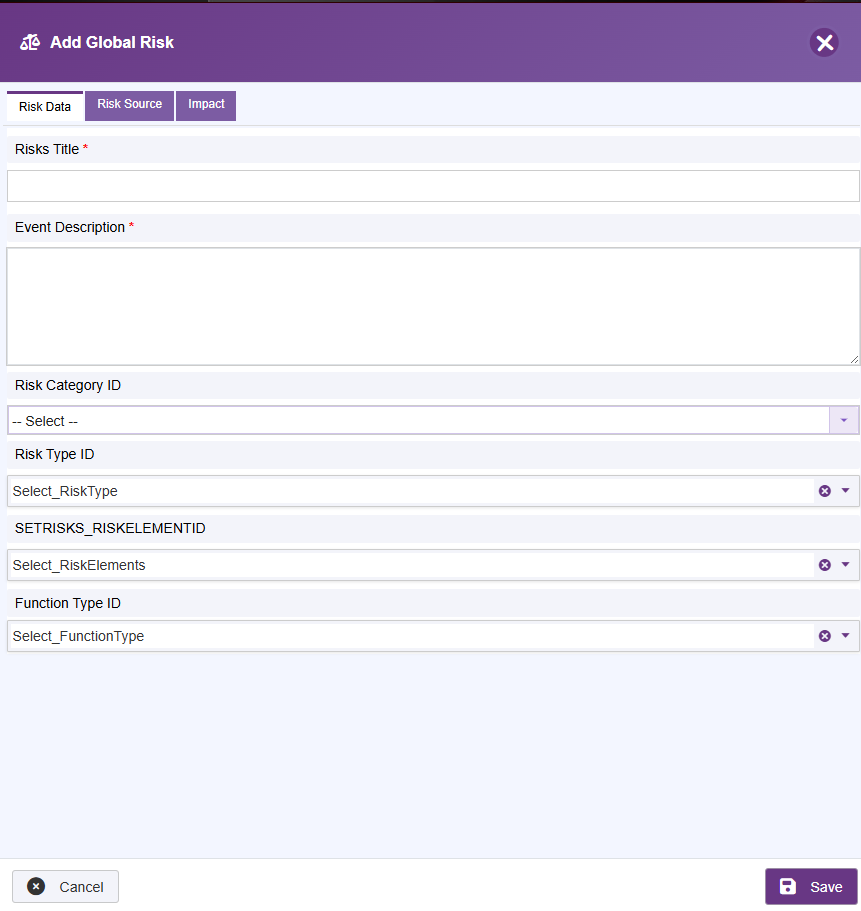
The form fields correspond to the columns listed in the table above. Risk Category, Function Type, and Risk Type are drawn from the values configured in System Attributes.
Editing a Global Risk
- Click the edit (pencil) icon in the Action column next to the risk.
- Update the required fields.
- Click Save.
Deleting a Global Risk
- Click the delete (bin) icon in the Action column next to the risk.
- Confirm the deletion.
Note: Deleting a global risk that has already been applied to project risk registers may affect those projects. Review usage before deleting.
Using Global Risks in Projects
When project users create new risks, they can search and import from the Global Risk library rather than creating risks from scratch. This ensures consistency in risk categorisation and description across the organisation.
Next: 05-control-library
Previous: 03-organisation
Back to: 00-Index